1Start the week in Browse Free
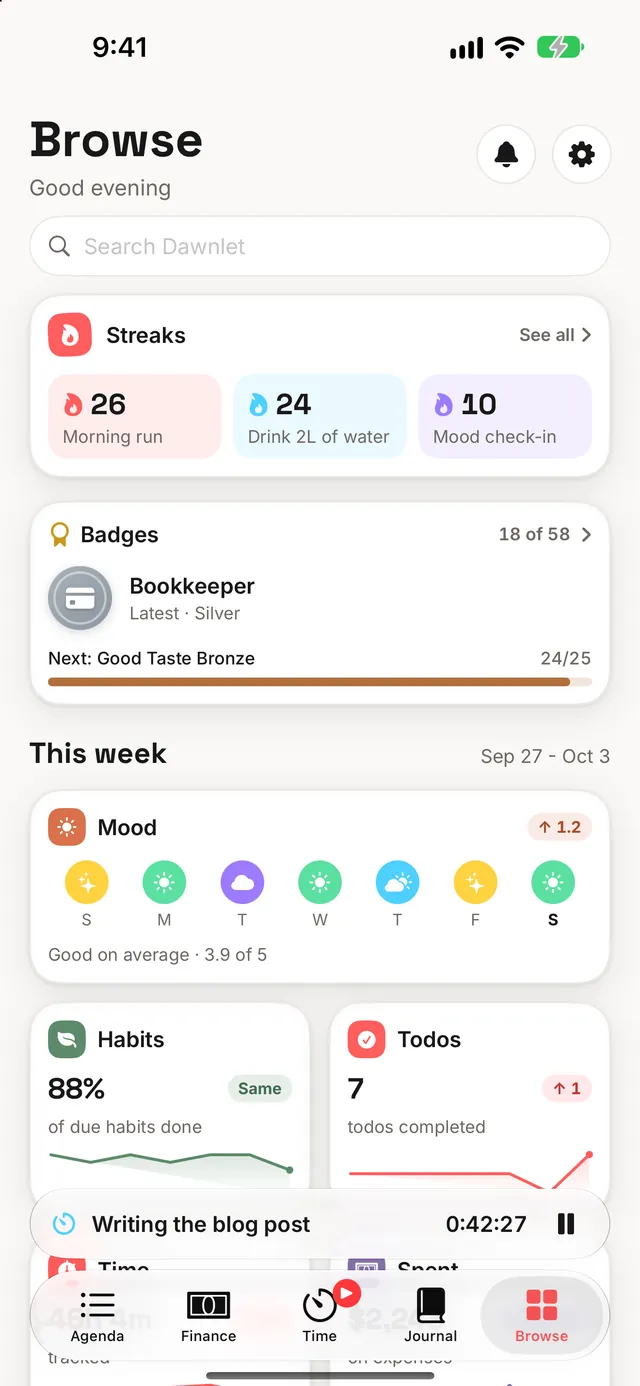
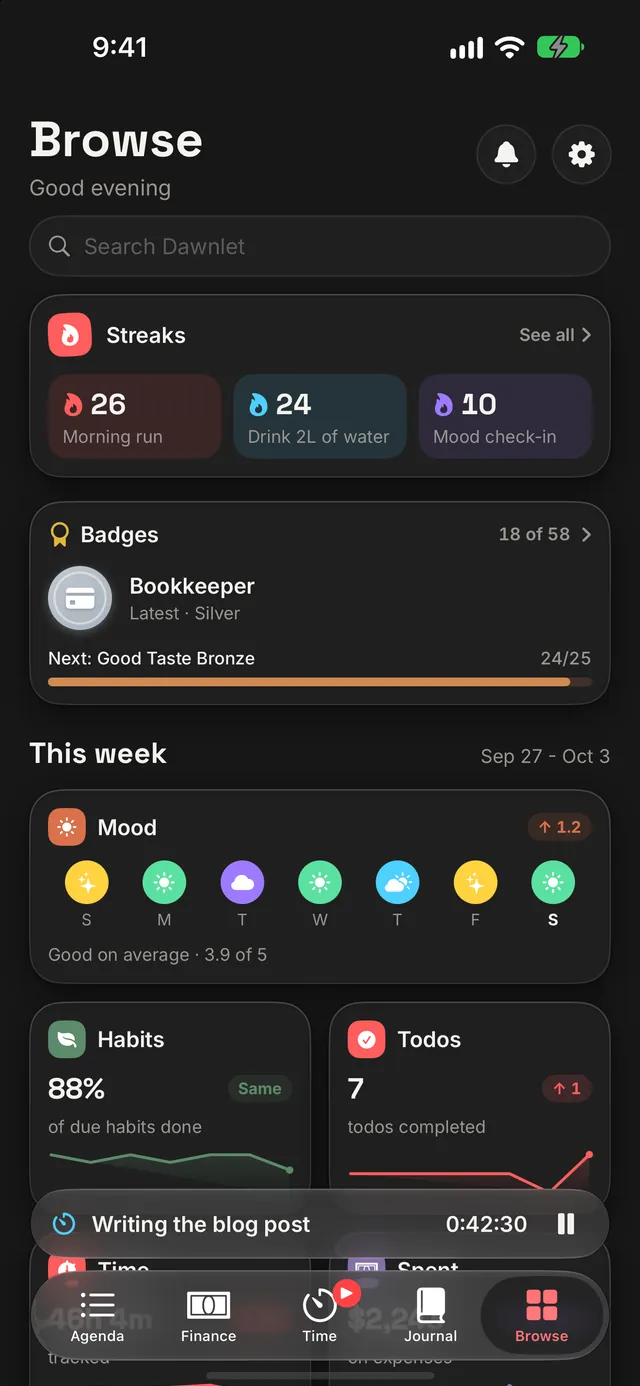
Agenda is about today. Browse is about how things are going. From the top: search, your streaks, your badges, the Patterns and Look Back cards, This week, Everything (a tile for every module, plus Settings), People, and a card to generate a report.
This week puts one glance per module side by side, each against last week:
| Glance | The headline number |
|---|---|
| Habits | How much of what was due got done |
| Todos | Todos completed |
| Time | Time tracked |
| Spent | Money spent on expenses |
| Journal | Entries written |
| Gratitudes | Gratitudes logged |
| Mood | Your average mood, with the week's daily check-ins |
The comparison is fair to a week that's still going. Counts (todos, time, spending, entries) are measured against last week up to the same weekday, so a Wednesday is three days against three days and the week doesn't look like a slump until Saturday. Rates (habits and mood) already allow for that, so they're compared with the whole of last week. Both follow your own choice of first day of the week.
The Spent glance can be switched off in Finance's settings, and while Finance is locked behind Face ID it shows that it's locked, with no amounts behind it.
Make Browse your Monday-morning screen. Seven numbers against last week tell you which part of your life got squeezed, before you plan the week ahead.
The search field at the top searches everything at once: people, todos, habits, events, places, books, movies, meals, gratitudes, activities, your journal and your transactions. It also jumps straight to any module or setting by name, and a matching tag becomes a filter (see the Categories & tags playbook).
2Keep your streaks separate Free
Browse shows your three longest streaks that are running right now. Tap them for the Streaks screen, which has every one, each with its current run and its best ever:
- Habits: one streak for each running habit, counted on the days it's due, with skips stepped over. The Habits playbook has the full rules.
- Reflection: your journal, your gratitudes and your daily mood check-in. Each counts days in a row with at least one entry, and all three are always listed, so a zero reads as "not started yet".
As with habits, today is on your side: while today is still open, a streak counts up to yesterday.
There is deliberately no combined streak for "showing up". One quiet module would break it, wiping out days of real effort everywhere else. Each streak is only about the thing it measures.
Pick the one reflection streak that matters to you and protect that. A one-tap mood check-in is the easiest daily streak in the app, and it also feeds Patterns (Play 6).
3Collect the badges Free
There are 58 to earn: ten one-off firsts, and sixteen families with bronze, silver and gold tiers. The Badges screen shows all of them, earned or not, because a badge you can't see is one you can't aim for. Tap any one to see every tier, how close you are and when you earned it.
| Family | Badge | Bronze · Silver · Gold |
|---|---|---|
| Habits | Unbroken (best habit streak) | 7 · 30 · 100 days |
| Creature of Habit (check-ins) | 50 · 250 · 1,000 | |
| Perfect Day (every due habit done) | 7 · 30 · 100 days | |
| Reflection | Storyteller (journal entries) | 10 · 50 · 200 |
| Daily Pages (best journal streak) | 7 · 30 · 100 days | |
| Thankful (gratitudes) | 25 · 100 · 365 | |
| Counting Blessings (best gratitude streak) | 7 · 30 · 100 days | |
| In Touch (mood check-ins) | 30 · 100 · 365 | |
| Weather Watcher (best mood streak) | 7 · 30 · 100 days | |
| Doing | Getting It Done (todos completed) | 25 · 100 · 500 |
| Time Well Spent (hours tracked) | 10 · 100 · 500 | |
| Collections | Bookworm (books read) | 3 · 12 · 50 |
| Film Buff (movies watched) | 10 · 50 · 200 | |
| Explorer (places visited) | 3 · 10 · 25 | |
| Good Taste (meals logged) | 25 · 100 · 500 | |
| Money | Bookkeeper (transactions logged) | 25 · 250 · 1,000 |
The ten firsts are your first habit check-in, journal entry, gratitude, mood check-in, completed todo, tracked session, meal and transaction, your first finished book, movie or place, and Full House: a mood check-in, a journal entry and a gratitude all on the same day.
- Streak badges use your best streak. Reach 30 days once and silver is yours, even if that run later ends.
- Badges are permanent. Deleting an entry, or a whole habit, never takes one back.
- Sample data never counts. Not even a sample book you later finish. The examples are there to explore, not to earn with.
- One toast, not a flood. A new badge drops in at the top of the screen wherever you are. If more than three arrive at once they collapse into one "new badges" toast, and when badges first switched on, everything you'd already earned arrived behind a single "Welcome to badges" toast.
Browse's Badges card always shows your next badge and how far along you are. Aim at that one. Full House is the fastest first to collect: a mood, one line in your journal and one gratitude, tonight.
4Switch on a module's Insights Plus
Most modules have an Insights switch at the top of their month: Habits, Todos, Time, Finance, Places, Books, Movies, Meals, Gratitudes and Journal. Switch it on and the month gains charts and numbers above the list: check-ins per day and a per-habit grid for Habits, where your time went, activity by activity, for Time, and so on. Step back a month and the insights follow.
Finance is the one exception to the lock: its overview's income, spending and net totals are free for everyone, and only the category breakdowns and budgets inside it need Plus.
Each module remembers its own switch, so turning off the charts in one place doesn't touch the others. Places, Books, Movies and Journal start with Insights on. On an iPad in landscape the insights sit in their own column beside the list, always shown.
Every module's insights end with a Report card for that module alone. Use it when a month is too short: "how much did I read this year?" is one tap from the Books screen.
Logging and reading back every day of your history stays free. Insights are the layer on top. If a subscription lapses, the charts step aside and nothing you logged goes anywhere.
5Run a report for any dates Plus
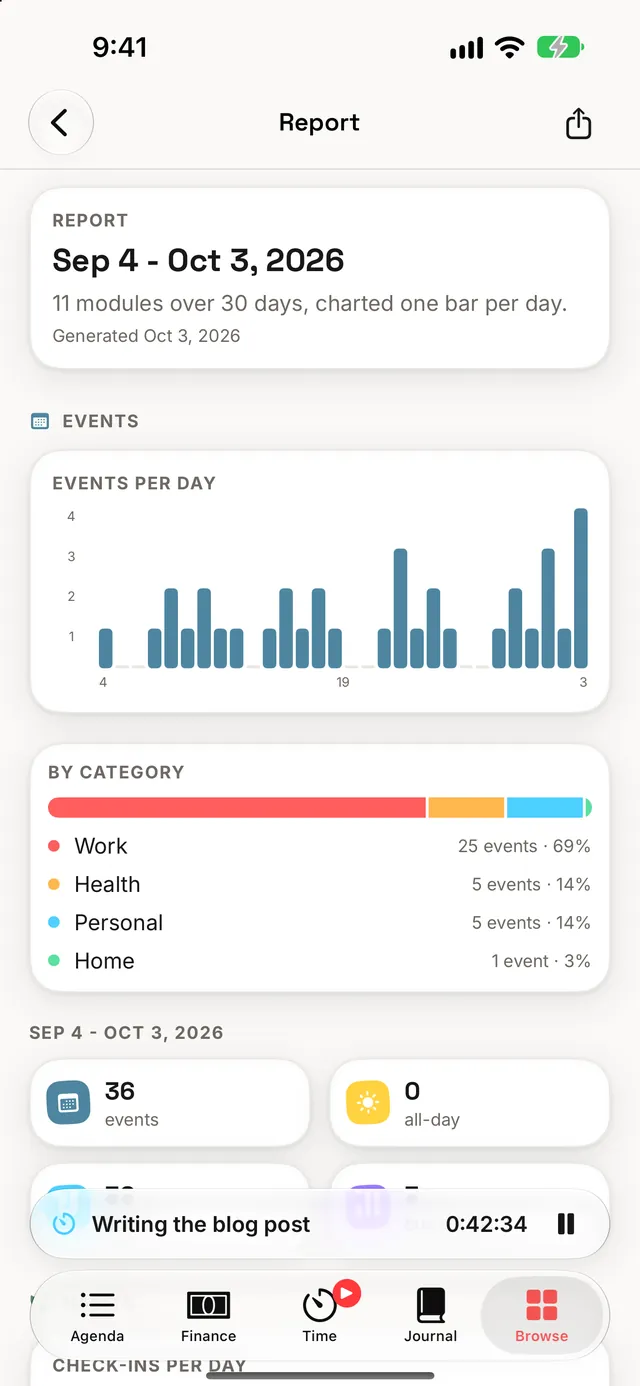
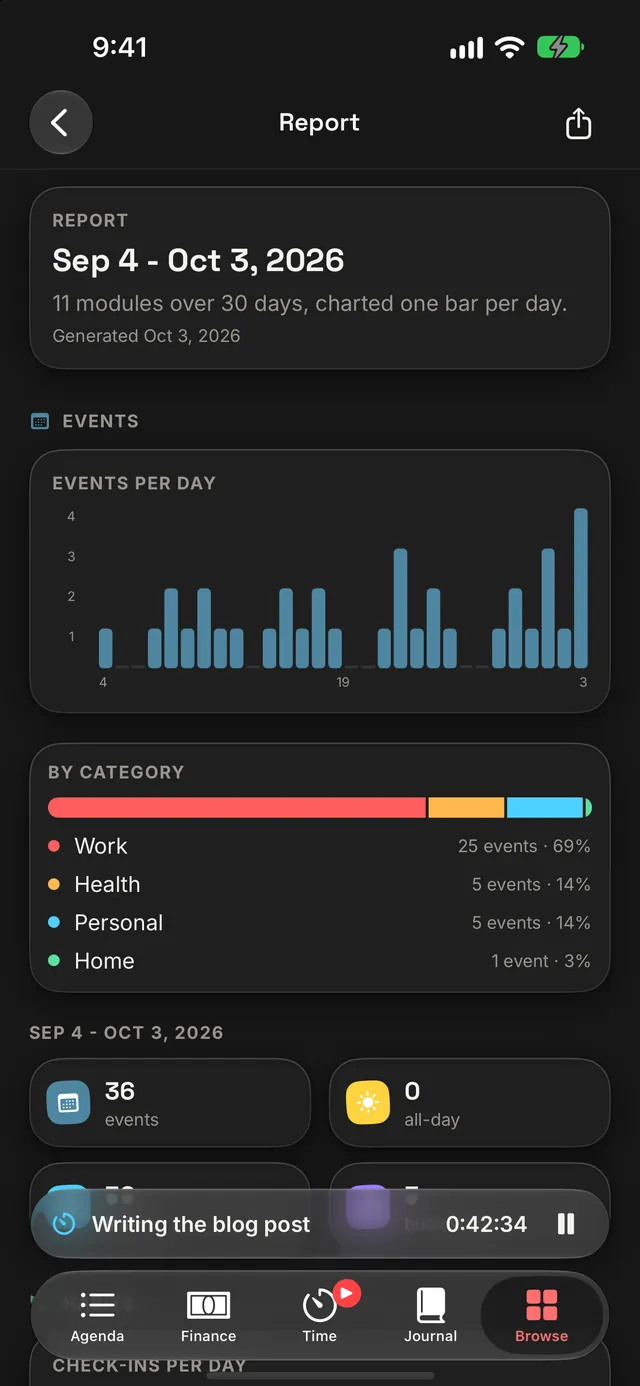
Browse's Generate a report card covers any stretch of time the week doesn't. Pick a range with Last 30 days, This month, Last month or This year, or set the two dates yourself. The calendar presets stop at today, so "this month" is the part that has actually happened.
Below the range are the modules: in the report and not included. Drag to reorder, and use the minus and plus buttons to move a module between the two. Your choice is saved to your account the moment you change it, so the next report starts the same way. The dates aren't saved: every visit starts on the last 30 days.
A report covers up to eleven modules: Events, Habits, Todos, Places, Books, Movies, Finance, Time, Meals, Gratitudes and Journal. Reports aren't kept; generate one whenever you want to look back. Use the share button to export it as a PDF. A module with nothing in the range still gets its page there, because "no trips this quarter" is worth knowing too.
Put the modules you care about most at the top and leave out the ones you don't use. A year-end report then reads like your own annual review, and it's ready to save or send.
6Look for patterns Plus
Each module's insights look at that module alone. Patterns looks between them, over the last 30 or 90 days:
- your mood on days you did a habit and days you didn't;
- your mood on days you wrote in your journal, logged a gratitude or tracked more time;
- your spending on lower-mood days;
- and habits you tend to do together, up to five pairs.
Every finding is two plain averages with the number of days behind each, strongest first. Nothing is shown until each side has at least five days, small differences read as "about the same", and findings are worded as observations ("tends to be higher on days…"), never as causes. Today is left out of the range, so a habit you haven't ticked yet can't count against it.
Most of Patterns runs on your daily mood check-in. Check in every day for a month and switch the range to 90 days once you can: the more days behind each side, the more a finding is worth.
7Read your Look Back Plus
Look Back is a short written review of a week or a month: how your habits went against the period before, todos done, time tracked and on what, journal entries, gratitudes, your mood, your best streak, badges earned, books, movies and places finished, the strongest pattern and your spending. Switch between Week and Month, and use the arrows to step back through earlier ones.
The numbers are always Dawnlet's own. The words are written by Apple Intelligence on your device when it's available, and only kept if they check out against those numbers. Otherwise Look Back uses its own plain template. Either way, the writing only ever sees numbers and names (of habits, activities, books and so on), never a journal entry, a note or a transaction, and the writing never leaves your device. The footer says when Apple Intelligence wrote it.
Turn on the Weekly recap notification Plus. Tapping it opens Look Back on the week just gone, so the review comes to you instead of waiting to be found.
§Under the hood
Almost nothing on this page is stored. Glances, streaks, insights, reports, patterns and Look Back are all worked out fresh from what you've logged, each time they're shown, so correcting an old day corrects every number built on it.
- Streaks are derived, never saved. A streak is just a reading of your history, and your history is already stored.
- Badges are the one award that's kept. Earning one is an event, so it's recorded once and never changed or removed. The rules that decide it run on your device, using the same streak and perfect-day rules as the modules. The server only decides what's new, so a second device catching up with the same history stays quiet.
- Everything reads the same data. Browse, Reports, Patterns and Look Back read through the same paths the module screens use, and share their rules, so a glance, a report and a review can't disagree about the same week.
- Patterns and Look Back are worked out on your iPhone. The comparisons and the review's numbers are calculated on the device, and Look Back's writing happens there too. A finished review is cached on the device, and written again if the numbers change.
- One failure stays small. If one module can't load, only its glance or finding is missing; the rest of the screen carries on.
- Finance's lock wins. With Face ID on for Finance, no transaction is even fetched for a glance, a pattern or a review.
Weekly glances, streaks and badges are free. Plus adds month Insights on every module, Reports, Patterns, Look Back and the retrospective notifications.