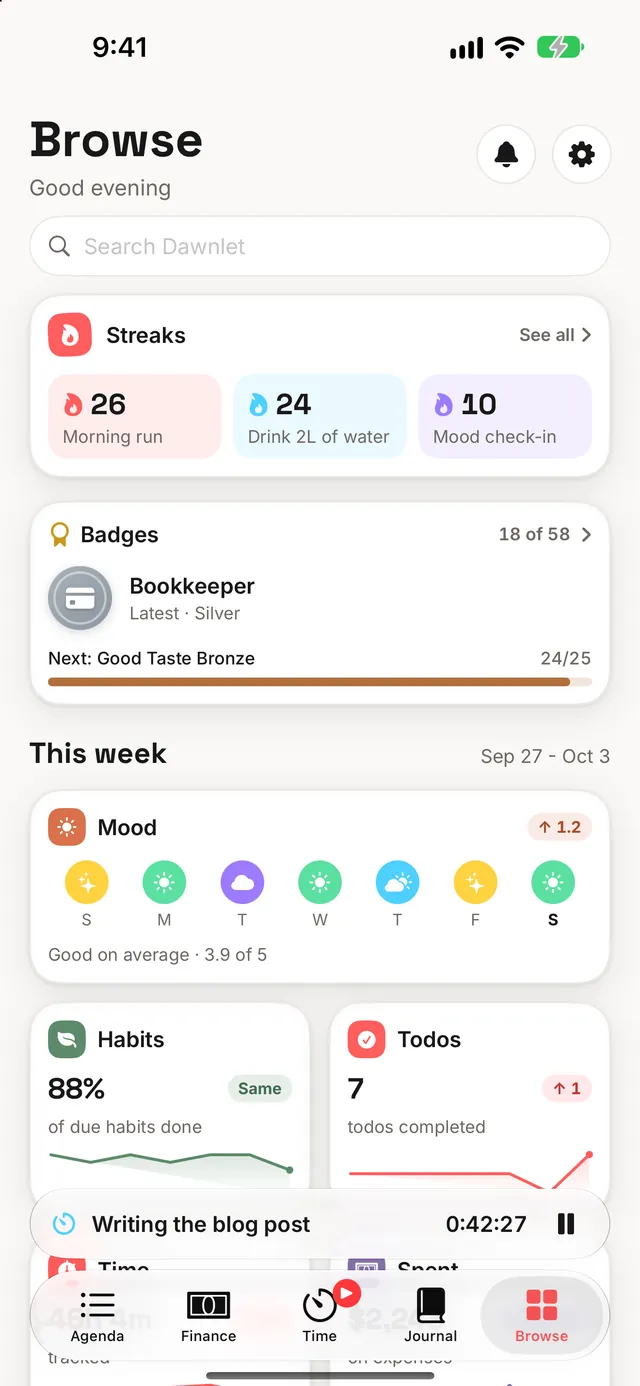
1Why every module feels the same
Dawnlet is a native SwiftUI app talking straight to a Supabase Postgres database. There's no server of ours in between: the app signs in to Supabase and reads and writes your tables directly, and the database's row-level security does the job a server's permission checks normally would.
| Layer | What it is | What it deliberately isn't |
|---|---|---|
| Client | SwiftUI, for iPhone and iPad, with Home Screen widgets, the timer's Live Activity and Control Center controls, an Apple Watch app and its complications, and a share sheet extension: five targets from one codebase, with Siri and Shortcuts on top | Not cross-platform and not a web view. Only the app and the Watch app talk to the database; everything else draws what the app saved for it. |
| Data | Postgres, one table per idea, row-level security on every one, saves of several steps run as one | No API service of ours, so no endpoint to secure separately or keep in step with the app. |
| Sign-in | Sign in with Apple, exchanged directly for a database session | No password and no tokens of our own. Identity is an account ID, the email Apple supplies, and a name only if you share one. |
| Privileged work | One small server function, for deleting an account | Not a general API. It exists because deleting an account needs a key that must never ship in an app. |
| Notifications | Worked out and scheduled entirely on your device | No push service and no notification server. |
| Purchases | StoreKit, two subscription products in one group | No record anywhere of ours of who pays. Your device asks Apple. |
Inside the app, every module repeats the same shape: a small data layer that reads the database, one write service that every change goes through, a state object per screen, the view itself, and one shared row per kind of item. A habit row in Agenda and on the Habits screen is the same component, swipe actions and long-press menu included, so "skip" behaves the same on both by construction rather than by two copies being kept in agreement.
2Why nothing half-saves
Some saves are really several changes: replacing an item's tags, saving who went with you, checking off a habit, creating this month's copy of a repeating bill. Each one runs as a single step inside the database that either completes or changes nothing, so a dropped connection can never leave an item with none of its tags. Money is sent as exact decimals, so a transaction is saved to the cent.
| You do | What happens |
|---|---|
| A quick action: check off, skip, swipe | Shows at once and saves behind it. If the save fails, it's undone on screen with a short message, so nothing looks done that isn't. |
| Delete a one-off item | It leaves the screen at once, but isn't sent for a few seconds while Undo is showing (longer with VoiceOver on). Undo just puts it back, because nothing was deleted yet. |
| Save an editor | Save can't be tapped twice, the sheet closes only once the save has worked, and if it hasn't, it stays open with what you typed and says why. |
Deleted the wrong thing? Tap Undo while it's showing (or shake your iPhone, or press ⌘Z on an iPad keyboard) and it's back exactly as it was, tags and all.
3Why it never pretends
The most dangerous bug in an app like this is one that looks like "you have no data". So no read in Dawnlet ever quietly comes back empty when it actually failed:
- Placeholders, then the truth. A screen shows the shape of what's coming until its first load succeeds, and only says it's empty after a load that really came back empty.
- One place to say something went wrong. Failed loads and saves show as one short message at the top, and what was already on screen stays put. An open editor reports its own problems inside itself, where you can see them.
- Offline is said out loud. A small banner shows while you're offline and another when you're back. See Your data for what still works.
- Long histories are read in full. The database answers at most a thousand rows at a time, so every list is read page by page until it's complete. Years of check-ins still count toward your streaks and badges.
4Why a change counts wherever you make it
Every change goes through its module's write service, whether it came from the module's own screen, Agenda, search, Siri, the share sheet or a drag and drop. That service owns everything a change sets in motion:
The same edit made from two different places can't have two different side effects. The Everywhere playbook shows how far outside the app that reaches.
5How Plus works
Dawnlet Plus is one subscription with two plans, $3.99 a month or $34.99 a year, both in a single App Store subscription group. Because they're one group, switching is an upgrade or a downgrade of the same subscription, never a second purchase:
- Monthly to yearly takes effect straight away, and Apple refunds the unused part of the month.
- Yearly to monthly waits until the year you've paid for ends.
- The 14-day free trial belongs to the group, so you get it once, whichever plan you start on.
There's no record of your subscription anywhere of ours: nothing in the database knows you paid, and no receipt is sent to a server. Your entitlement lives with Apple, tied to your Apple ID, and the app asks Apple on your device. Restoring on a new device simply asks again. Dawnlet also listens for cancellations and billing grace periods, so access follows what Apple says even when no new purchase happens.
If you're unsure, start on monthly. Moving up to yearly later takes effect immediately and you don't pay twice for the overlap.
6Why Plus works offline
Because the check happens on your device, against Apple, Plus doesn't depend on Dawnlet's database being reachable. And the gate is checked twice on purpose: once in the interface, so locked things look locked, and again at the moment of use. Your notifications are filtered for Plus as they're planned, and every write to Apple Calendar or Contacts checks your live access as well as its switch.
Dawnlet drops back to the free plan on its own: Plus-only notifications stop and writing out to Apple Calendar and Contacts pauses. Your settings are never wiped, so if you subscribe again everything comes back exactly as you left it. The Plus widgets lock themselves at the right moment even if you never open the app.
7Where the free line sits
One rule decides it: the present is free, looking back is Plus. Capturing your day costs nothing, in any module, and neither does reading back every day you ever recorded.
- Every module, with up to 500 habits, todos, activities, places, books and movies each, and everything else unlimited
- One-off todos, events and transactions
- Logging money and seeing your month
- Writing and searching every journal entry
- Apple Calendar and Reminders read into your agenda
- 16 of the 27 notification kinds, and the whole notification feed
- Six widgets, the Watch app, Siri and every control
- Insights on every module
- Reports for any dates, Patterns across modules, and Look Back
- Export as CSV or JSON
- Plan My Week and Plan My Month
- Anything that repeats: todos, events, bills
- Budgets and spending breakdowns
- On this day in your journal
- Month in numbers and On this day widgets
- Apple Contacts import, and updating Contacts and Calendar
- No 500-item limit
Two things follow from that rule. Notifications about what's ahead are free (unless they're about a Plus feature, like a budget or a repeating bill), because an organizer that won't remind you of anything unless you pay is broken, not limited. And deleting your own data is never paywalled.
§Under the hood
Every choice above has a cost, and here they are, stated plainly:
| Choice | What it costs | Why it's still right |
|---|---|---|
| No server of ours | Business rules live in the app or in the database itself | The phone and the Watch share most of one data layer, and there's no second tier to break, leak or pay for. |
| Instant quick actions | A way back for every tap that can fail | A check-off feels instant, and a failed one visibly undoes itself instead of lying. |
| Reading every page of a list | More requests for long histories | Streaks and badges stay right after the thousandth check-in, not just the first. |
| No server-side record of Plus | Nothing on our side can look up who subscribes | Nothing on our side can wrongly revoke it either, and it's one less piece of personal data held. |
| Plus checked twice | Deliberate duplication | If access lapses, the app falls back to free by itself, without touching your settings. |
Every "Plus" in the app reads the name from one place, and every line on the Plus screen names something the app actually enforces, with a caption saying what the free plan already gives.