1Pick a rhythm you'll keep
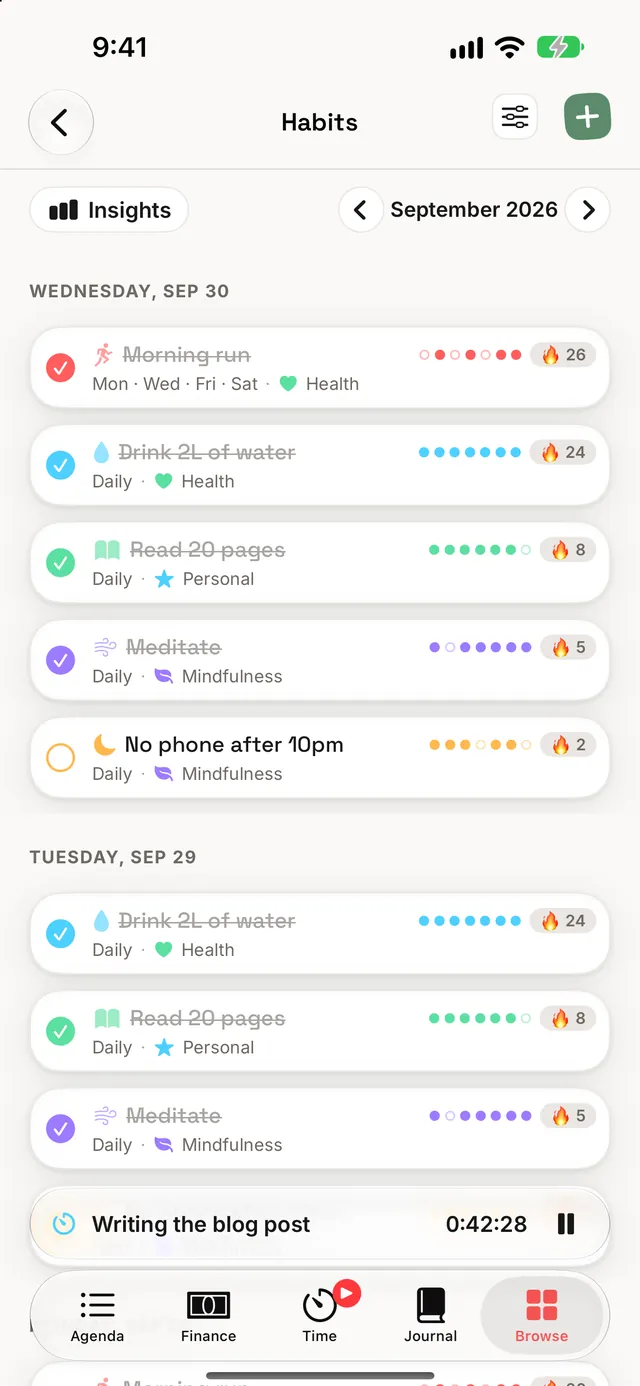
Every habit runs on one of two rhythms: every day, or the weekdays you choose (say, Mon · Wed · Fri). That choice decides which days are due, and only due days count. A Monday–Friday habit doesn't owe you anything on Saturday, so a quiet weekend never touches its streak.
A habit also has a start date and, if you want one, an end date. Use the end date for anything with a finish line, like a 30-day challenge or a course that runs until June. After it ends the habit simply stops being due, and its history stays where it is.
Schedule the days you'll really do it, not the days you wish you would. Three runs a week scheduled as Mon · Wed · Fri gives you a streak you can keep for months. The same three runs on a "daily" habit leave four misses every week.
A third rhythm: a few times a week. Pick "3 times a week" (anything from once to six times) and any days count. The habit stays on your list each day until the week's count is reached, with "2 of 3 this week" beside it, and its streak counts the weeks you reach it - a "5-week streak". If a week won't happen (a trip, a cold), Skip This Week excuses it without breaking the streak. Completion rates count each week by its target, so three runs in a three-a-week week is 100%, whichever days they fell on. Weeks start on the day you've chosen in Settings → Agenda.
Give each habit a category and it takes that category's colour and icon, or pick its own. Tags work too, the same tags you use across the rest of Dawnlet.
2Protect the streak
Your current streak is the number of due days in a row you've checked off, counting back from today. Every habit also keeps its best streak, the longest run it has ever had, so a broken streak never erases what you've already done.
Three notifications help, and you can turn each one on or off:
| Notification | When it arrives | Tier |
|---|---|---|
| Daily habit notification | One time of your choosing, with a count of today's due habits | Free |
| Streak at risk | In the evening, when a streak of 3 or more days is due and still open | Free |
| Streak milestone | As you hit 7, 14, 30, 50, 100 and 365 days | Plus |
Turn on Streak at risk. It stays silent until a streak is worth protecting, then gives you one evening nudge on the days it matters.
3Skip, don't abandon
Some days a habit genuinely doesn't apply: you're ill, travelling, or the gym is closed. Leaving that day open tells Dawnlet you missed it. Skipping it tells Dawnlet the day didn't need doing. Swipe the habit (or open its menu) and choose Skip. Here's how each outcome reads:
| Done | Skipped | Left open | |
|---|---|---|---|
| Current streak | Adds a day | Stepped over, no break | Breaks it once the day is over |
| Best streak | Adds a day | Ends the run | Ends the run |
| Completion rate | Counts as done | Left out entirely | Counts as missed |
| Perfect day | Counts toward it | Not required | Rules it out |
| Week strip | Filled dot | Empty dot | Empty dot |
| Month grid Plus | Filled | Grey square | Outlined |
Note the second row. A skip protects the streak that's running now, but your best streak only counts days you actually did. A record has to be earned, so a skip ends that run.
You can undo a skip for today or any later day. You can't undo a skip on a day that's already passed, because that would turn it back into a missed day and could break a streak you're still on. You also can't skip a day you've already checked off; uncheck it first.
Keep skips for days that truly didn't apply. They keep your percentages honest in both directions: a sick week doesn't drag your rate down, and an easy skip doesn't inflate it.
4Chase the badges
Habits have four badges. The tiered ones come in bronze, silver and gold:
| Badge | How to earn it | Bronze · Silver · Gold |
|---|---|---|
| First Check-in | Check off any habit, once | — |
| Unbroken | Keep a single habit going, due day after due day | 7 · 30 · 100 days |
| Creature of Habit | Check-ins across all your habits | 50 · 250 · 1,000 |
| Perfect Day | Days where every habit that was due got done | 7 · 30 · 100 days |
- Unbroken uses your best streak, not the current one. If you reached 30 days once, you've earned silver even if that streak later broke.
- A Perfect Day leaves skipped habits out. If every habit that was due and not skipped got done, and at least one did, the day counts.
- Badges are permanent. Deleting an old check-in or a whole habit never takes a badge back.
- Sample habits never count. The examples a new account starts with are there to explore, not to earn with.
Perfect Day rewards a short, honest list. Five habits you keep beat ten you half-keep, and skipping a habit on a day it doesn't apply keeps a perfect day within reach.
All badges are free. They live in Browse, next to your streaks for journal, gratitude and daily mood. Dawnlet deliberately has no combined "everything" streak, so one quiet module can't wipe out a run you've built everywhere else.
5Check off from anywhere
The fastest check-in is the one that doesn't need the app open:
- Siri and Shortcuts: "Check Off Habit" works from your voice, a Shortcut or an automation.
- Control Center: add the Check Off Habit control and it's one swipe away.
- Home Screen widgets: Habits Today shows today's dots and your longest running streak, and Habit Week shows the week.
- Apple Watch: tick off today's habits on your wrist, and add the Habits complication to your watch face.
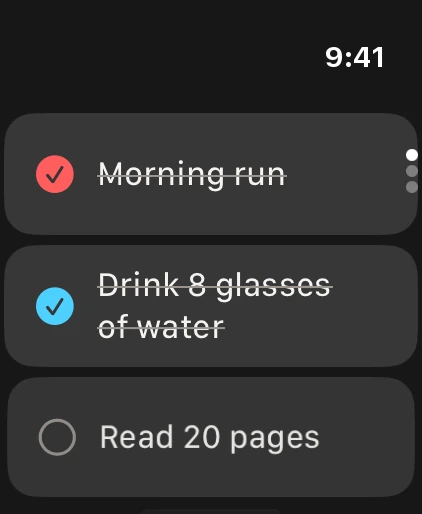
Every one of these records exactly the same check-in as a tap in the app, so streaks and badges update wherever you tick.
6Read the month
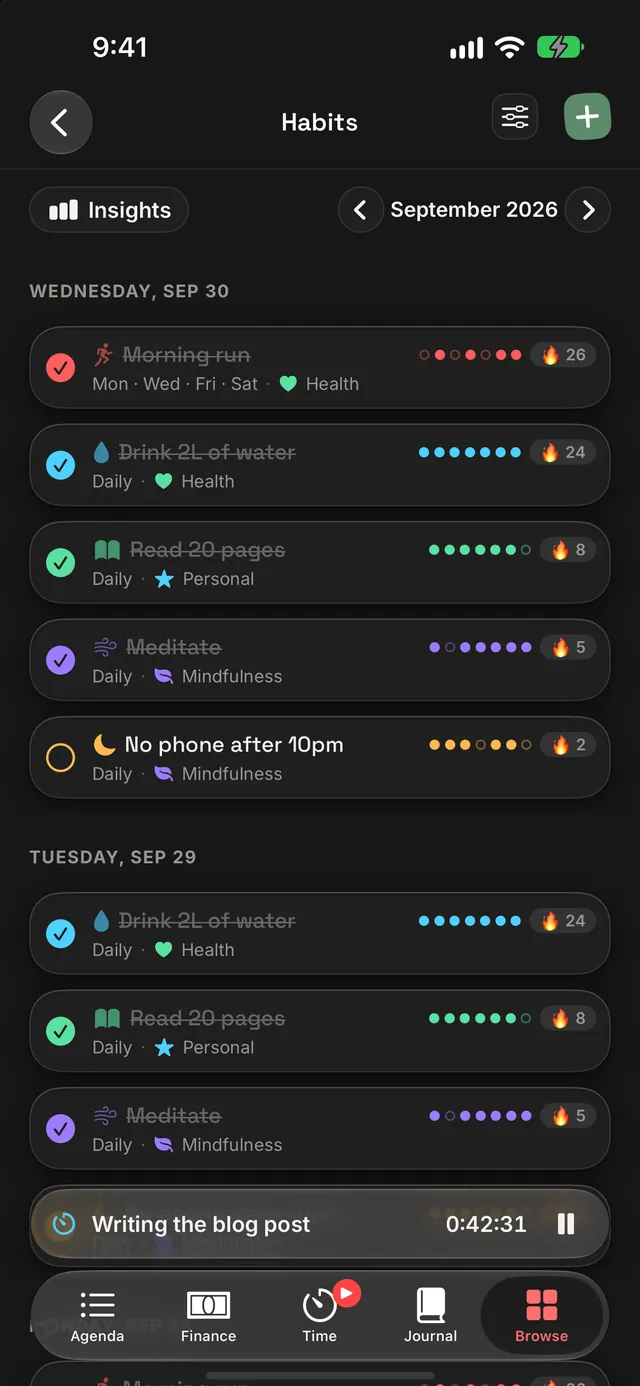
The Habits screen lays out the month day by day, every due habit under its date, so you can step back through earlier months and see exactly what happened. VoiceOver reads each week as words, such as "5 of 7 days this week".
Turn on Insights Plus and the month gains a chart of check-ins per day, your completion rate against what was actually due, the month's check-ins, your best running streak, and a per-habit grid with one square per day: filled for done, grey for skipped, outlined for due and still open, and faint for a day that wasn't due. Tap a square to tick that day. With Differentiate Without Color turned on, skipped squares are also struck through.
Habits also feed Reports for any date range, Patterns, which links them to your mood, time and spending, and Look Back, a short written review of your week or month. All three are Plus.
Once a month, look for the habit with the most open days. That's usually a rhythm problem, not a willpower one, so move it to fewer days (Play 1) and watch the month fill in.
7Let Apple Health tick it off
Everything in this section arrives with Dawnlet 1.5.
Some habits already leave a trace in Apple Health: your steps, a run, last night's sleep, a few mindful minutes. Link one of those habits to Health and Dawnlet checks it off for you as soon as Health shows you've reached the goal - even with the app closed. A small heart on the check marks the days Health ticked, and today's progress ("6,210 / 8,000 steps") sits under the habit.
Open Browse → Apple Health, connect Health once, and Dawnlet suggests habits from your own last four weeks: "Walk 8,000 steps a day - you've averaged 7,400", "Run 3 times a week", "Sleep 7 hours a night". Each goal is set a little above where you already are, never a leap. Adjust it, choose how often, and add it - it becomes an ordinary habit in every other way.
- What it can watch: steps, exercise minutes, stand hours, active energy, walking and running distance, workouts (any kind or one kind, with a minimum length), mindful minutes, sleep, water and weigh-ins.
- It only ever adds a tick. Untick a day Health ticked and it stays unticked. It never touches a day you skipped, and never takes a check-in away.
- Your units. Goals show in the units you use in Health - kilometres or miles, kilocalories or kilojoules, millilitres or fluid ounces.
- One Health habit is free; Plus links as many as you like.
Link the habit you most often forget to tick, not the one you never miss. A daily walk that ticks itself keeps its streak on the days you're too busy to open the app.
§Under the hood
Dawnlet stores just two things for habits: the habit itself, and one record for each day you marked it done or skipped. No streak, best streak or percentage is ever saved. Each one is worked out fresh from that log whenever it's shown, so correcting an old day corrects everything after it, with no stored counter left to drift out of step.
- Badges are the exception. An earned badge records the moment you got there, so it's stored once and never changed. The rules that award it run on your device.
- A check-in is one step. Done, skipped or cleared is saved in a single write, so a dropped connection can't leave a day half-saved. The checkmark flips immediately and rolls back with a short message if the save fails.
- A day is a calendar date. It's read in your current time zone and follows you when you travel, so a check-in never lands on the wrong day.
- Apple Health stays on your device (coming in 1.5). Dawnlet only reads Health, on your iPhone or iPad, and never writes to it. What's saved is the habit's goal, the check-in (marked as Health's) and any day you unticked - never a step count or a night's sleep. The device decides "goal met"; the server makes sure a Health tick can only ever add.
- The whole history counts. Habits with years of check-ins are read in full, so long streaks and badges are worked out from every day you've logged.
Habits are free, up to 500 of them. Plus adds the month's Insights, Reports, Patterns, Look Back and streak milestones.